

Organize the routine and
meet every deadline.
Put an end to micromanagement and manual follow-ups on WhatsApp. Centralize requests, assign owners and track each task's deadline in list, Kanban or Gantt view.
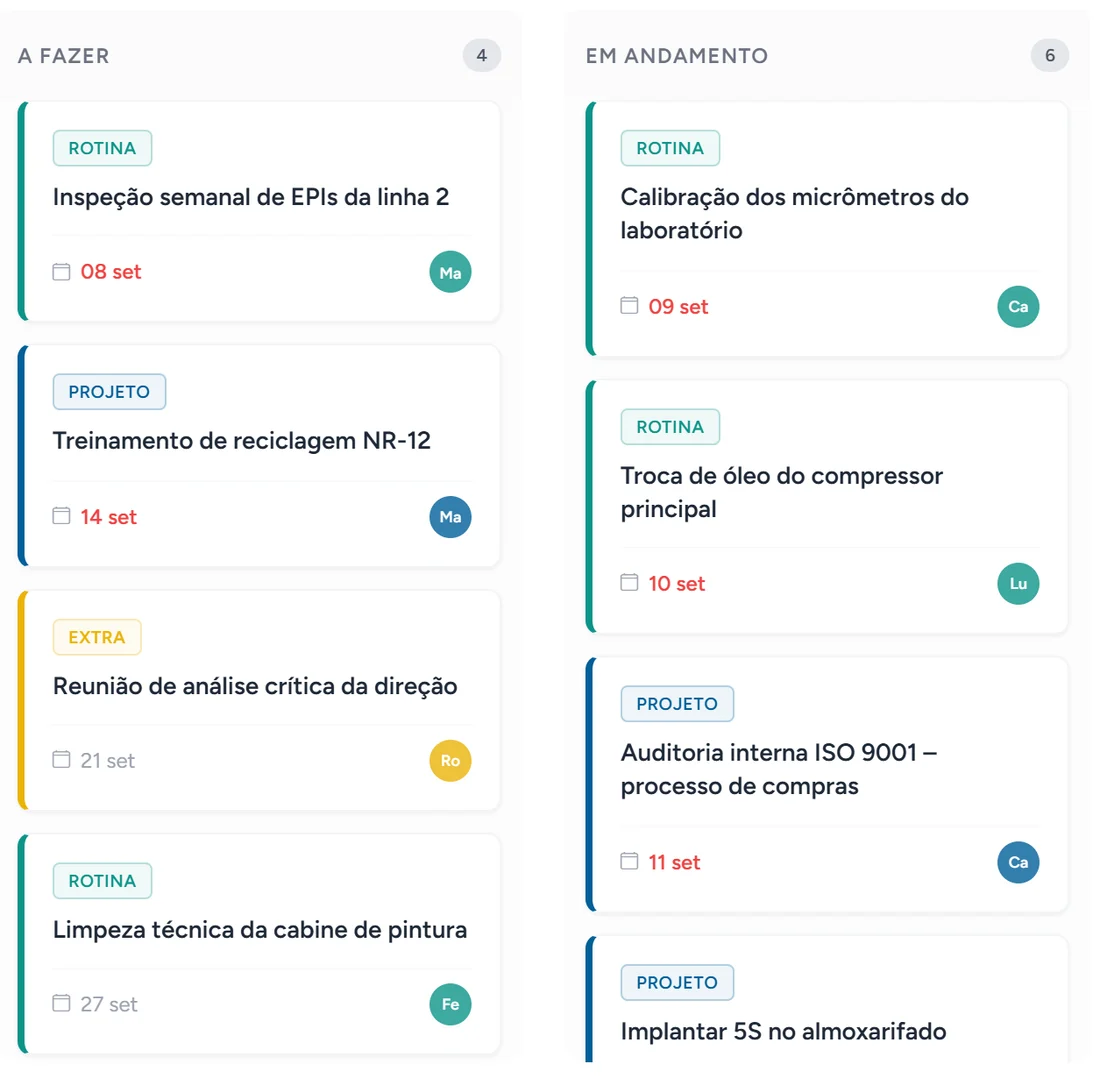
Know who's doing what, without manual follow-ups
Get clarity on the progress of every deliverable without interrupting your team on WhatsApp or in endless status meetings.
Clear delegation
Managers choose the owner while seeing how many hours each person already has committed that week, compared with their working hours.
- Estimated effort in hours per task
- Reminder to the owner one day before the due date
Recurring routines
Register once what repeats, such as stock checks or month-end closing, and set the routine's frequency.
- Daily, weekly, monthly or yearly repetition
- A dedicated status for work completed late
Everything in one agenda
Corrective actions from incidents and IDPs from reviews appear in the same list as day-to-day tasks.
- Filter by type: extra, routine, project, corrective action, review or competency
- Managers see their team's tasks according to the org chart
Smart, standardized workflows
See progress in whichever format you prefer and break large jobs into smaller parts.
Visual management (Kanban)
Spot bottlenecks in the operation instantly. Drag and drop tasks between stages to update status in real time, without complexity.
Drag and drop, with filters
Filter by owner, status, type or search by title. Prefer a timeline? The same list opens in Gantt view.
Subtasks with summed effort
Break large tasks into smaller steps, each with its own title, description and effort, without cluttering the board.
Total task effort
The form adds up the main task and all its subtasks, showing the real amount of work.
Questions about Task Management
Next step
A more productive team
Contact Focel on WhatsApp to start the 45-day free trial of the Tasks module or schedule a demo of the operational Kanban board.